AI email triage that explains itself
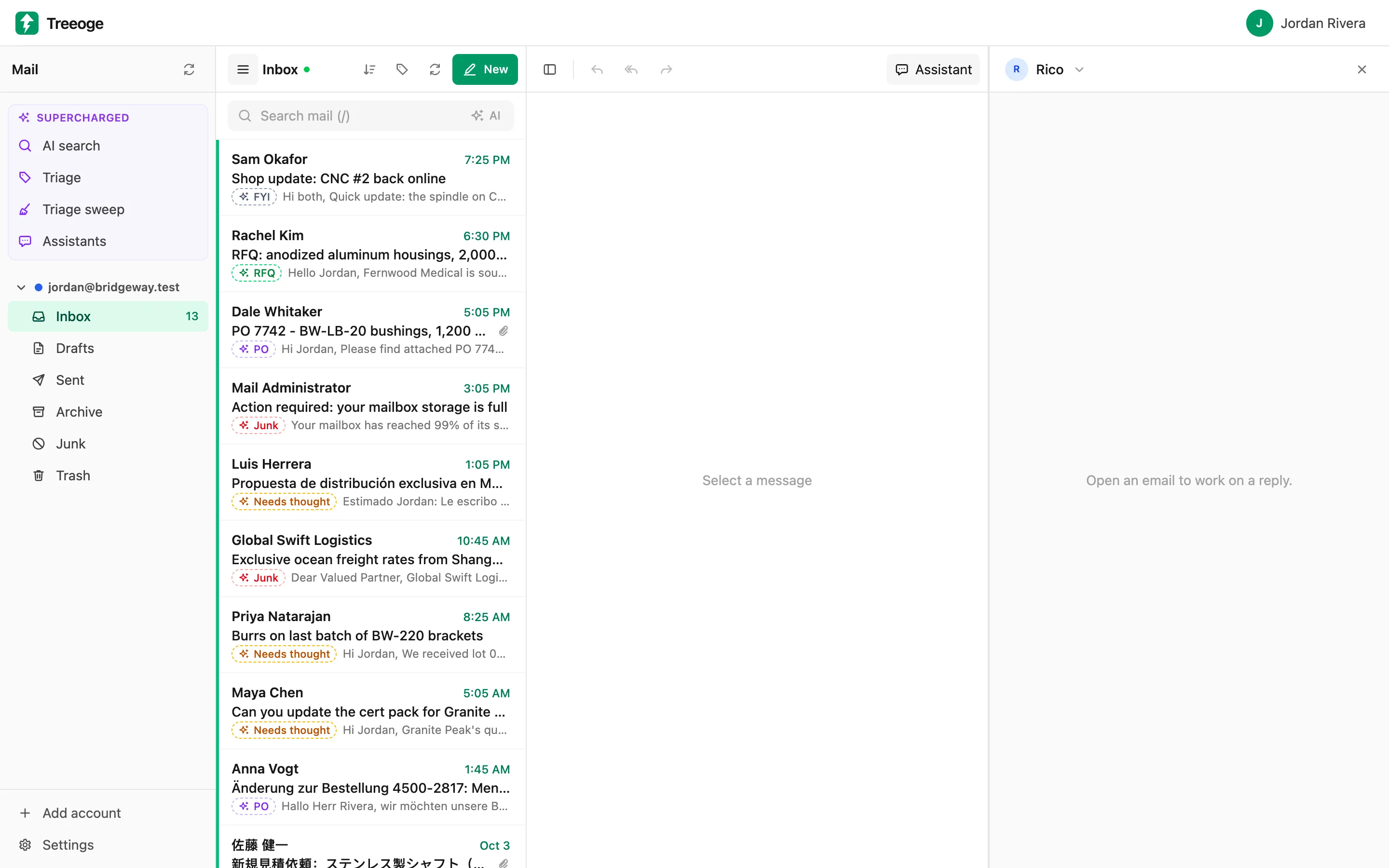
Every new email gets a suggested label and a one-line reason, so you can see at a glance what needs you, what can wait and what is junk. Nothing moves until you say so.
Labels that match how you work
Start with labels built for busy sales and operations inboxes, then rename them, add your own or describe in a sentence what belongs in each.
- RFQ: a customer wants a quote
- PO: a customer placed or changed an order
- Needs thought: a real decision or answer from you
- Waiting: the other side has the next step
- FYI: receipts, shipping notices and newsletters
- Junk: cold pitches, spam and phishing
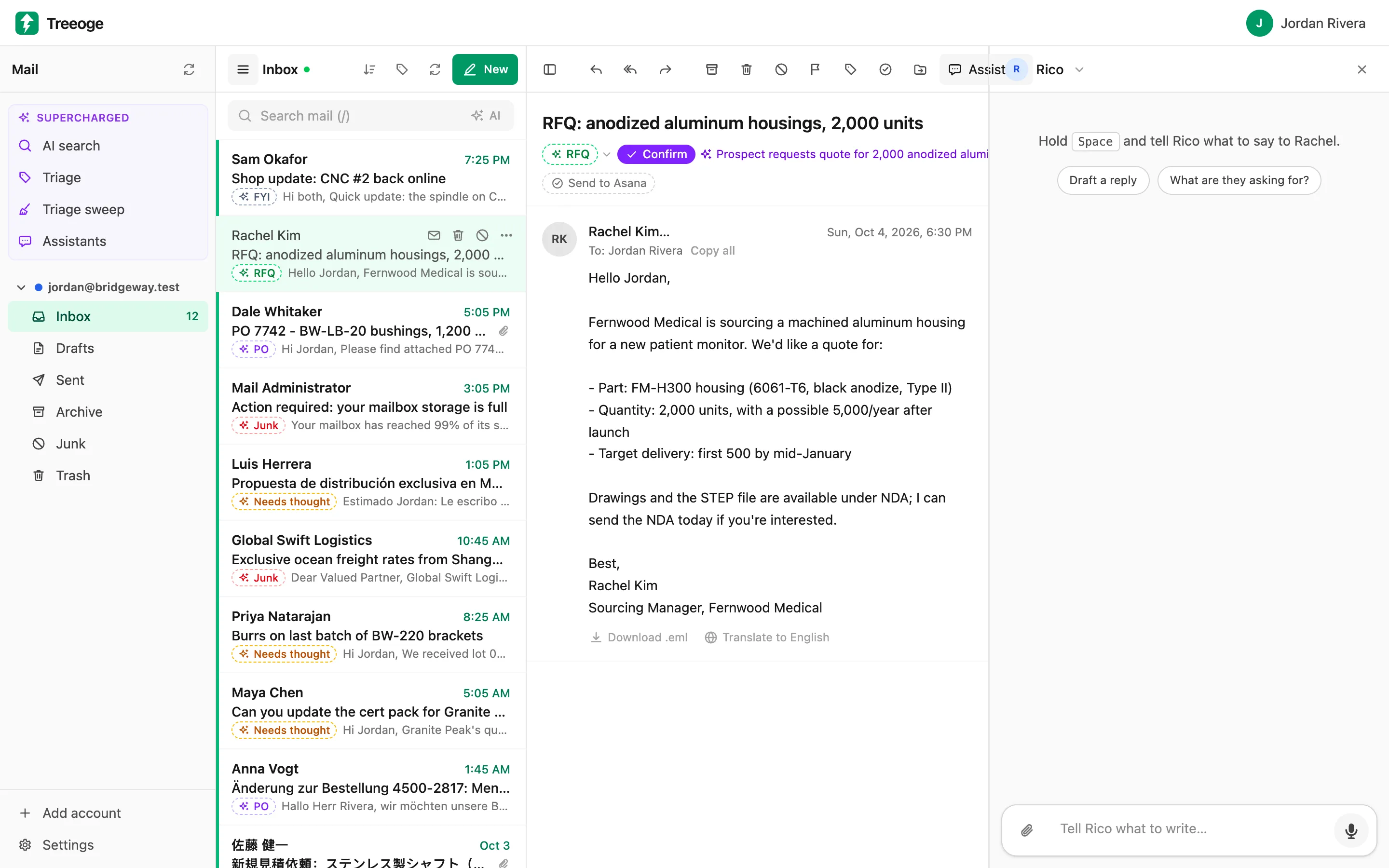
A reason for every suggestion
Open an email and you see the label the AI picked and why, such as "Prospect requests quote for 2,000 anodized aluminum housings". One click confirms it, or pick a different label. When the AI is unsure, it leaves the email unlabeled rather than guess.
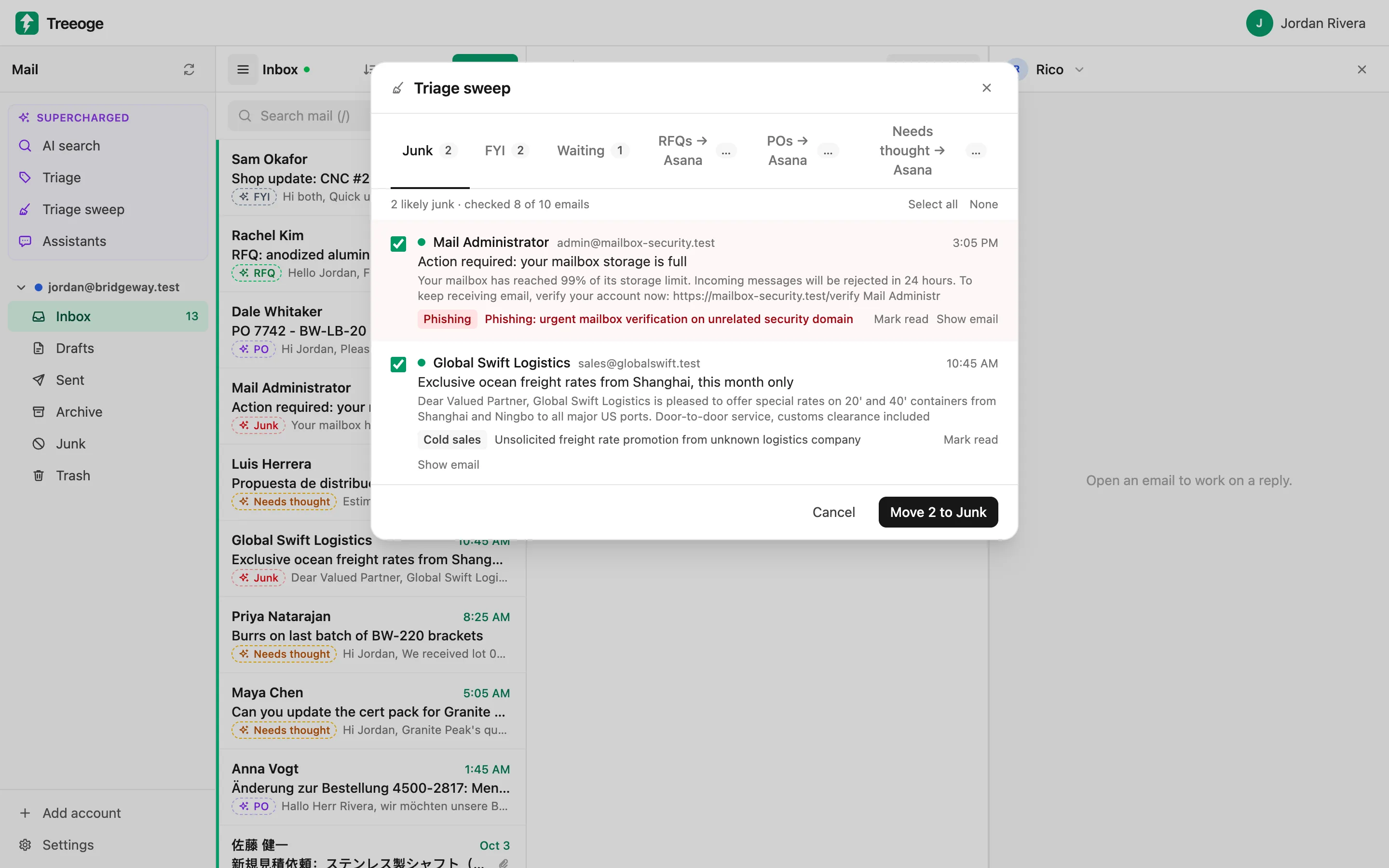
Clear the noise in one sweep
The triage sweep gathers likely junk, FYI and waiting emails into one review. Check the list, read the reason for each, and move the junk or mark the rest read in one go.
It learns from your choices
When you change a label, Treeoge uses your recent decisions as examples the next time it sorts. Tell it what your business does in a sentence or two and it sorts with that in mind.
Suggestions only
Labels live in Treeoge. Your mail is never moved or deleted on the server until you click, and the AI treats what an email says as information, not as instructions to follow.
Learn more
- What Is AI Email Triage and How Does It Work?AI email triage sorts every message into reply, delegate, done or junk, then drafts the next step for you. Here is how it works and where it helps.
- How to Automatically Sort Emails with AIRules and filters break. Here is how to sort emails with AI using labels you define, how it learns from your corrections and how to keep it safe.
Try it on your own inbox
Free for 14 days, no card needed. $29 per user per month after that, AI included.
Start free trial