Email translation, one click away
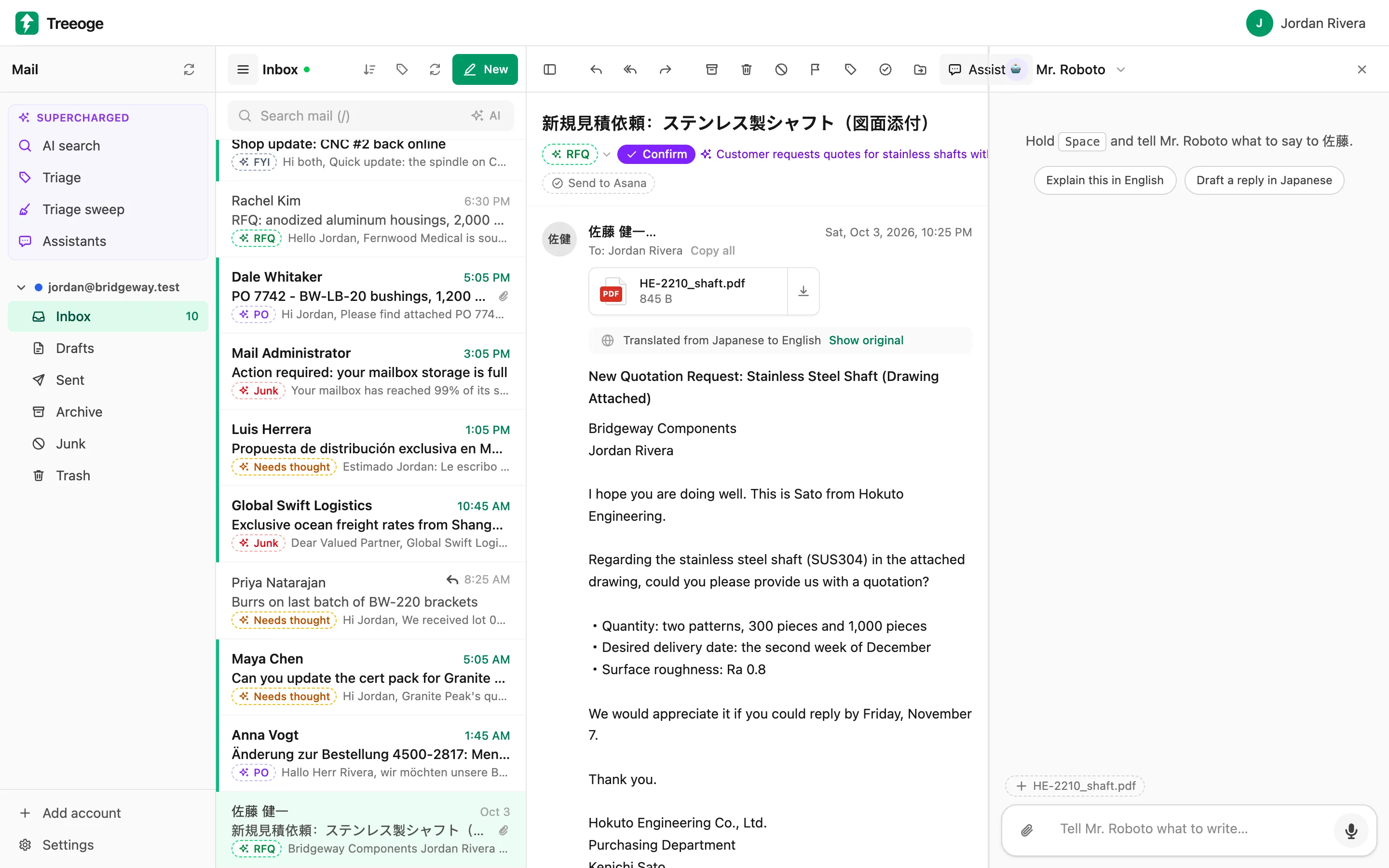
Every email has a Translate button. The translation appears in place, right where you were reading, and you can flip back to the original anytime.
Read it in your language
Translate any email to English or your preferred language. Only the message itself is translated, not the quoted history below it, so it stays quick and readable.
Reply in theirs
Ask an assistant to draft the reply in the sender’s language, or write in yours and translate the draft before you send. Treeoge suggests both when an email arrives in another language.
19 languages
English, Japanese, Chinese (Simplified and Traditional), Korean, Spanish, French, German, Italian, Portuguese, Vietnamese, Thai, Indonesian, Hindi, Arabic, Russian, Dutch, Turkish and Polish.
Guides on this
How-tos and deeper reads if you want the long version before you try it.
- Reply to a Spanish Email in EnglishReply to a Spanish email in English without a translator tab. Read it in your inbox, type the answer, and check the Spanish draft before you send.
- Reply in Another Language, Inside Your InboxReply in another language without copying into a translator. Read the email in yours, dictate the answer, and check it before you send.
- The Best Email Translator for Business EmailWhat makes the best email translator? Accuracy with numbers and names, replies in the other language, and a way to check what you send. Here is the test.
- How to Translate Email to English (and Reply)Four ways to translate email to English in Gmail, on iPhone or in your inbox, how to keep numbers and names right, and how to reply in their language.
- 20 Japanese Business Email Phrases to KnowJapanese business email phrases for openings, requests, quotes, apologies and closings, with meanings and when to use them, plus the standard email format.
Try it on your own inbox
Free for 14 days, no card needed. $29 per user per month after that, AI included.
Start free trial