How to Do Mobile Email Triage on Your iPhone
Checking mail on a phone is easy. Finishing it is not. Mobile email triage is the habit of sorting each message into a next step while you still have the thread open, so work does not wait for a laptop.
Done well, you clear more of the inbox in the short phone windows you already have. You leave fewer open loops than when you started.
What mobile email triage means
Triage answers one question per email: what happens next?
- Reply when you own the answer
- Delegate when it belongs on a task list
- Done when it was only FYI
- Junk when it never deserved attention
That is the same model as AI email triage on a desk. On a phone, the win is speed and a repeatable pass, not endless scrolling.
A mobile email productivity routine
Use this order when you open the inbox. Do not start by rewriting long replies.
- Scan for what needs you. Skip newsletters on the first pass.
- Clear the noise. Junk cold pitches and lists you never read. Unsubscribe when a real list link is there, so tomorrow’s inbox stays lighter.
- Mark FYI read. Waiting and informational mail should not clog the list.
- Handle the short replies. Use AI when typing on glass slows you down.
- File the longer work. Turn big asks into tasks, or save them for a focused block.
A cleaner list is a side effect of that routine, not the goal by itself. The goal is fewer decisions left half-done.
How to move through mail faster without missing work
Speed comes from batches, not from reading every word twice.
- Work in five-minute passes, not one long scroll
- Correct bad labels quickly so the next pass is smarter
- Keep Send, Junk and task creation under your click
- Mute low-value alerts so the phone stops pulling you into noise
Google explains how to delete messages in Gmail on iPhone. Bulk delete helps a backlog. Mobile email triage also stops the refill with unsubscribe and clear next steps.
What to look for in an AI inbox organizer
An organizer is only useful if you trust it. Look for short reasons on junk, conservative handling of real business mail, and undo when a thumb misses.
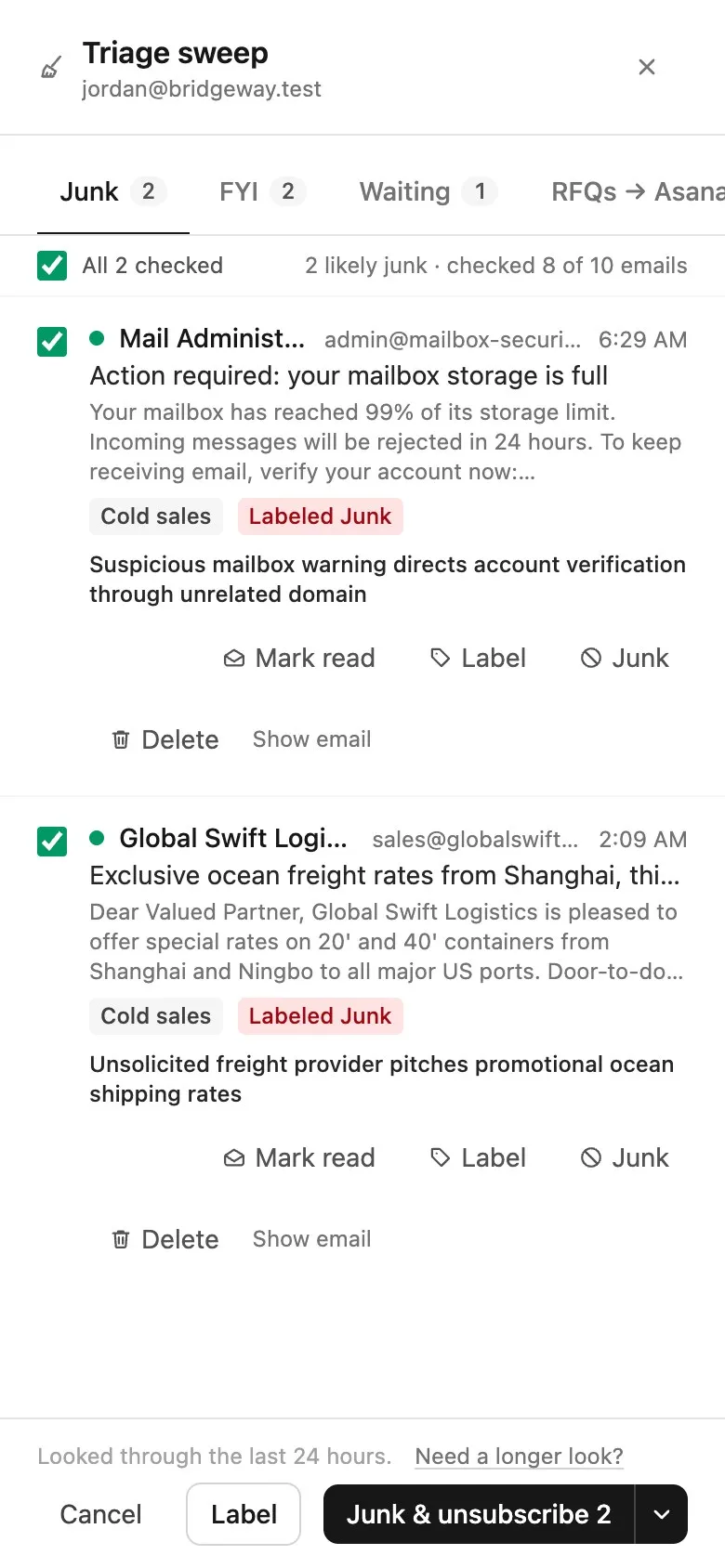
Treeoge runs in the iPhone browser on the mailbox you already use. It suggests labels, then Triage Sweep gathers likely junk, FYI and waiting mail for one review. You can choose Junk & unsubscribe. Later mail from senders that ignore the opt-out can be blocked. You stay in control of every move. See inbox cleanup and AI email triage.
Treat phone days the same way you would at a desk: sort, clear, finish. For the reply half of the pass, see how to write emails by voice.
Start on your own inbox with a 14-day trial.
FAQ
Is mobile email triage only for AI apps?
No. The method works in any mail app. AI helps when volume is high and labels save a first pass.
Can I clear the inbox on my phone and keep it that way?
Yes, if cleanup includes unsubscribe. Deleting alone usually refills by the next morning.
What if I only have two minutes?
Sweep junk and mark FYI read. Leave hard replies for the next pass. Two clean minutes beat one distracted scroll.
Does Treeoge replace Apple Mail?
No. Treeoge connects to your existing mailbox in the browser. Your mail stays on your provider’s server.