IMAP Calendar: Why Your Phone Shows None
People add a mailbox on a phone, wait, and then search for an IMAP calendar that never appears. The mail shows up. The calendar app stays empty. Nothing is broken in the account password. IMAP does not carry events.
That surprise is common on hosted mail: a company address at a web host, with no Google account and no Microsoft 365.
What IMAP actually syncs
IMAP moves messages, folders, and flags. It does not move meetings. A calendar needs a different standard, usually CalDAV, or a vendor’s own sync. When the phone asks the mail server for a calendar, the mail server has nothing to give under IMAP.
Webmail can still show a calendar beside the inbox. That calendar is a separate feature of the host, not part of the mailbox protocol. It may not be the thing your phone added when you typed the mail settings.
So “IMAP calendar on iPhone” and “IMAP calendar not showing” are the same gap. The mail profile cannot invent events the protocol does not have. IMAP is mail. Calendars are described separately, as CalDAV.
What to use instead of an IMAP calendar
You have two workable paths if the host never gave you a shareable calendar.
Sign in to a real calendar server. Treeoge can use iCloud, Fastmail, Yahoo, or a CalDAV server you already run, such as Baïkal or Nextcloud. You can also paste another CalDAV address if your host published one. Treeoge reads that server every couple of minutes.
Let Treeoge host one calendar. Each person gets one. An iPhone, or Outlook with a CalDAV plugin, can use the login Treeoge shows. Google Calendar and Microsoft 365 can only subscribe to a read-only link. Edits made there do not come back.
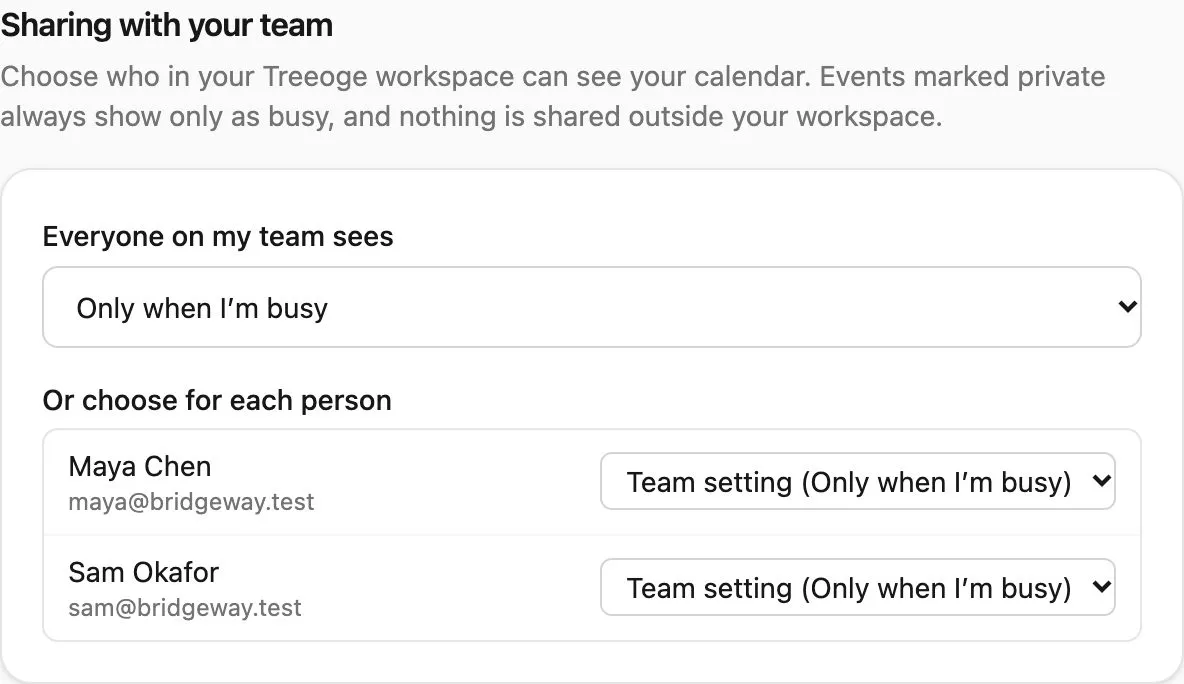
Inside your Treeoge workspace you choose what teammates see: nothing, only when you are busy, or the full event. An event marked private stays “busy” even if they otherwise see details. Nothing is shared outside the workspace.
When someone emails “let’s meet”
The mail and the calendar sit in the same app. If an email asks to meet, the assistant sees your real free times, including teammates who share at least busy. It can draft the reply and set the meeting up in a form. You check it. Nothing is sent until you click Send. It does not invent an open slot.
Hosts each bolt a calendar on differently. cPanel’s version is covered under cPanel CalDAV calendar and cPanel calendar sharing. The mail connection itself is the same IMAP setup as an AI email client for IMAP.