Reply to a Spanish Email in English
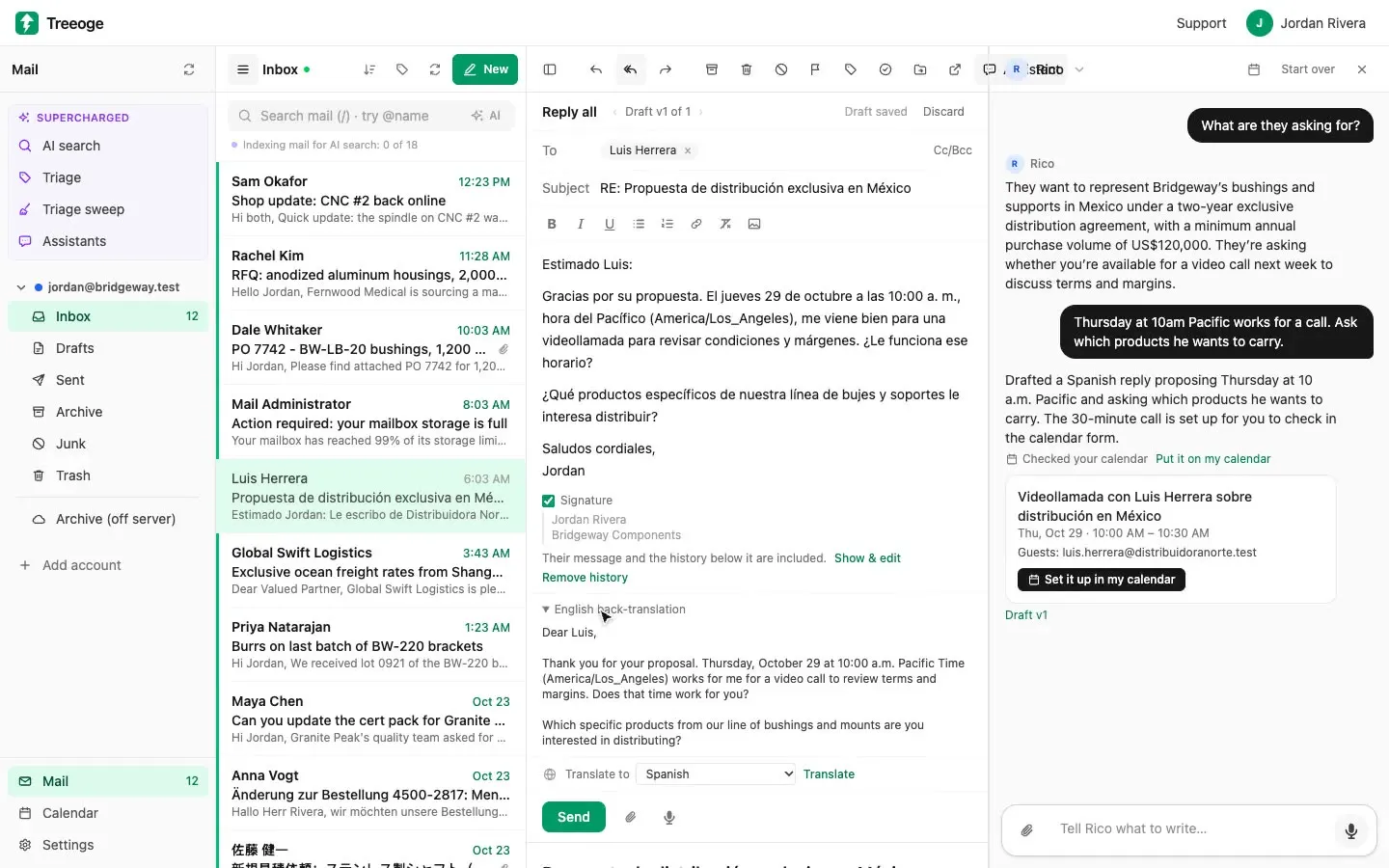
Reply to a Spanish email in English, from the same screen. A distributor writes from Mexico. He wants a call and a deal. A word-for-word translation shows the words. It can still miss what he wants you to do.
The usual fix is a pile of tabs. Copy the message into Google Translate. Read it. Write your answer in English. Paste that in. Then paste the Spanish result into a second translator, just to see if it says what you meant. One message becomes a loop.
You can do that loop in the inbox. The clip above is a demo mailbox. It is not a customer.
Read the Spanish email in place
Open the message and translate it where you were reading. The English sits in the thread. You can flip back to the original. You do not leave the thread, and you do not paste anything.
A full translation is the raw material. It is not always the meaning. Ask what they want. The assistant answers in English, in a sentence or two, so you hear the point before you answer.
In the clip, that note is simple. He wants to carry the line of bushings and supports. The deal would be exclusive for two years. A video call next week would cover the terms.
Type the reply in Spanish
You reply to a Spanish email by telling the assistant what you would say in English. You do not have to write in Spanish. Type what you mean, or hold Space and dictate it. Talk the way you would to a coworker. Filler words are fine. The assistant works out the instruction.
In the clip, the note is one line. Thursday at 10am Pacific works for a call. Ask which products he wants to carry. The draft comes back in Spanish. Dates and quantities stay as you said them. If a price was never given, the draft leaves a placeholder such as [PRICE]. It does not invent one.
Your note stays in English. The words he will read are the draft. That is the split. You think in yours. He reads his.
Check it, then send
Sending in a language you cannot read is the risky part. A back-translation puts the draft back into English. It reads the draft, not your notes, so you see what the message actually says.
Turn that check on for the assistant you use with this mail. You compare the check with what you meant. Fix the draft. Update the check. You never open a second translator.
Nothing goes out until you click Send. Watch the clip on YouTube, see email translation in Treeoge, or read how to reply in another language.