Titan Email Calendar for the Whole Team
A Titan email calendar shows up inside Titan’s own site, next to the inbox. Hosts such as GoDaddy resell Titan as professional email, so the screen may say the host’s name while the calendar is Titan’s. It works for the person logged into webmail. It is a weak way to show the rest of the team who is free.
Titan’s job is the mailbox. The calendar beside it does not become a shared company calendar just because two people use the same host.
What a Titan email calendar includes
Titan includes webmail and, on plans that allow it, IMAP and SMTP so other apps can read and send. That is how a phone gets the mail. The calendar in the Titan window does not ride along with those IMAP settings. A phone that only added the mail account will not grow a Titan email calendar on its own.
Sharing is whatever Titan’s webmail offers that plan. A lot of teams end up screenshotting a week, or pasting times into chat. Paid upgrades add storage and features. They do not turn the mailbox into a Google-style team calendar.
If GoDaddy sold you the address, their storage cap is the other half of the product. That limit is covered in GoDaddy email storage full. Microsoft 365 sold by a host is not Titan, and Treeoge does not connect to Microsoft 365.
Use the Titan mailbox, share a real calendar
When the Titan plan lets other email apps sign in, Treeoge connects over IMAP. Your address stays on Titan. Mail you send is still sent through Titan.
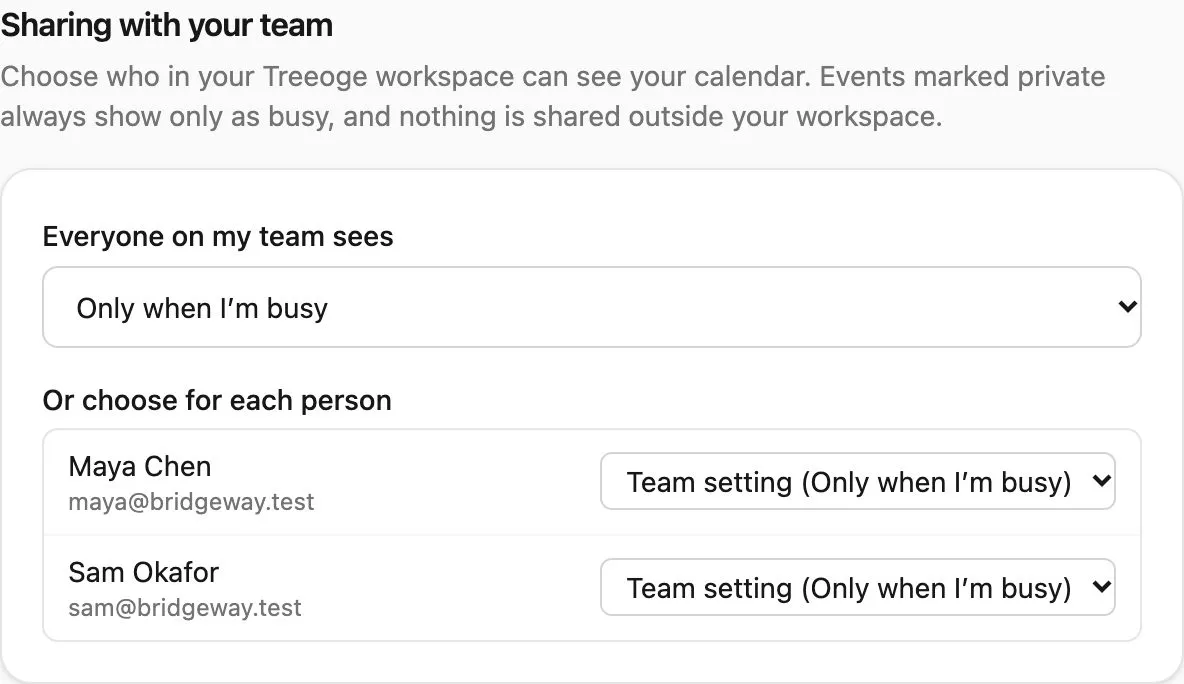
The calendar can be one Treeoge hosts for each person. An iPhone, or Outlook with a CalDAV plugin, uses the login on the calendar settings page. Coworkers in the same Treeoge workspace choose a share level: nothing, only when you are busy, or the full event. You can set that per person. Private events stay busy-only, and nothing is shared outside the workspace.
You can instead connect iCloud, Fastmail, Yahoo, or a CalDAV server you already run. Google and Microsoft only get a read-only subscribe link. Changes there do not come back.
An email that asks to meet is answered with your real open times in view. The assistant drafts the reply and sets the meeting in a form you check. Send is still your click. Teammates who share at least busy are part of that free-time check.
GoDaddy’s own sync steps, if that is who sold the Titan account, are in GoDaddy calendar sync.